Streaming cloud storage.
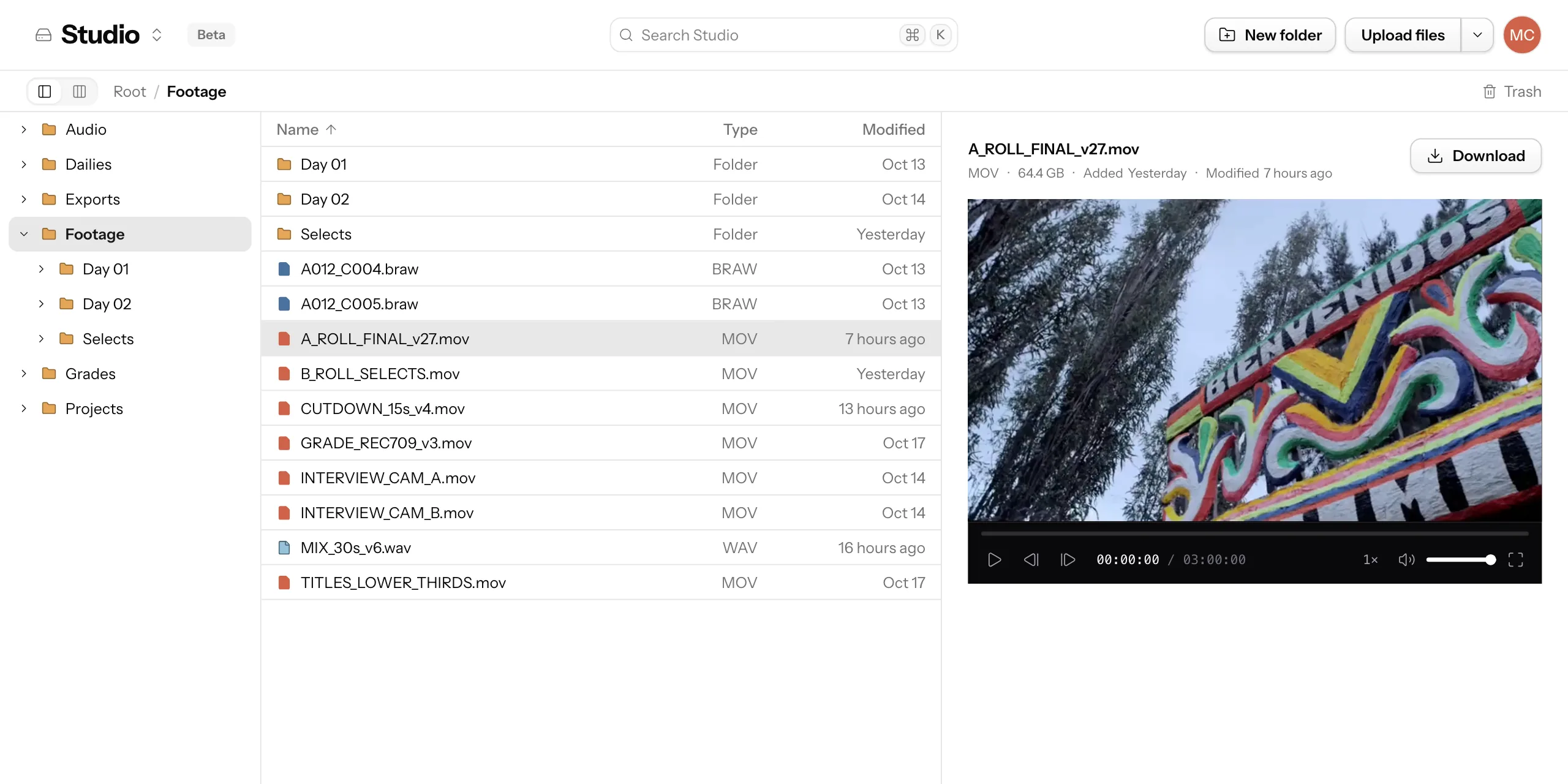
Spools fetches just the parts of a file you need, as you need them, so you get almost infinite cloud storage without taking up much local disk.
- Plays after
- 51 min
- On your Mac
- 38.6 GB
 Spools
- Plays after
- 2 s
- On your Mac
- 0.0 GB
Edit straight from Spools.Your editor plays footage from the cloud like it's on a local disk.
Spools
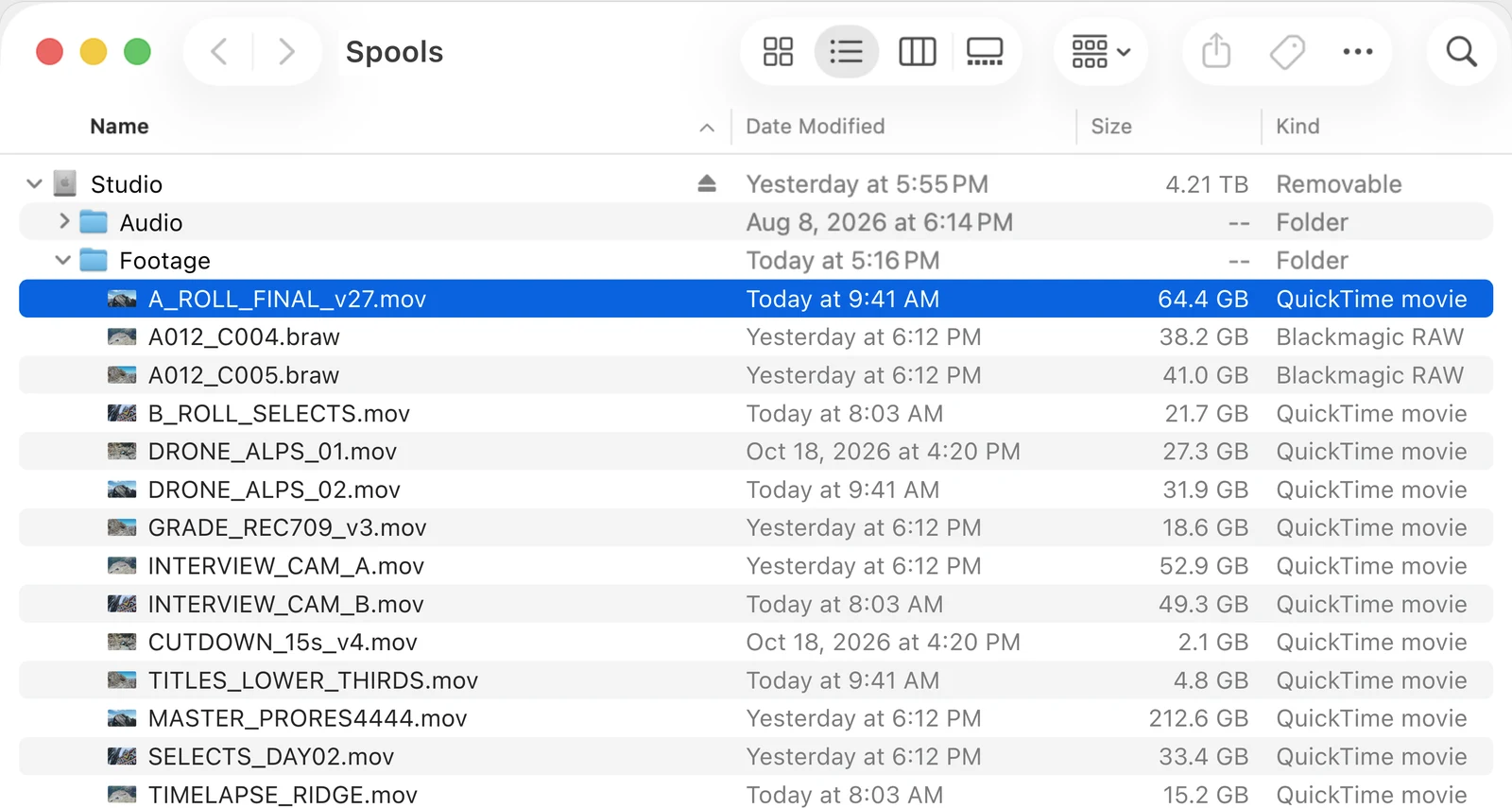
Spools mounts on your Mac like any disk.Open your files from any app on your Mac, or from the browser on any computer.
Reliable uploads.
Uploads are fast and resumable — they survive sleep, dropped wifi, and moved cafés. 64 GB camera originals are normal files here.
Every save is a version.
Download earlier versions from the last 7, 30, or 90 days, depending on your plan.


 +
+
First-class MCP and a public API.
Let your AI app find and read files on Spools.


 +8
+8
Team access
Invite everyone at no extra cost. The whole team works off the same files and versions.
File lockingsoon
Lock a cut so no one stomps it.
A Drive per production.
Give each production, client, or shared library its own Drive. Each one mounts as its own disk on your Mac.
PricingTry Spools free for 14 days without a card, and keep 500 MB free after that.
Starter
- MembersUnlimited
- DrivesUnlimited
- Version history7 days
- MCP & API✓
- 100 GB storage
- 7 days of history
Pro
- MembersUnlimited
- DrivesUnlimited
- Version history7 days
- MCP & API✓
- 1 TB storage
- 7 days of history
Ultra
- MembersUnlimited
- DrivesUnlimited
- Version history30 days
- MCP & API✓
- 5 TB storage
- 30 days of history
Studio
Talk to us More than 5 TB storage- MembersUnlimited
- DrivesUnlimited
- Version historyContact us
- MCP & API✓
- More than 5 TB storage
- History to fit your team
Every plan includes unlimited members and Drives, plus MCP and API access.
Frequently asked questions
What counts toward storage?
The total size of your current files.
What happens to deleted files?
Restore files from Trash within 30 days, unless you delete them forever or empty Trash.
Is there a file size limit?
Multi-gigabyte footage is normal, and large files upload in resumable parts.
Where do files live?
Encrypted at rest in object storage, scoped to your organization.
Does my team cost extra?
No, you can invite everyone, and the whole team works off the same files and versions.
How do I get the Mac app?
Download it, then follow the installation guide. You need macOS 26.4 or newer and a General Motion account.
Does it work with Premiere and DaVinci Resolve?
It does once you adjust a few settings, as described in the Premiere guide or the Resolve guide.
Is there a Windows app?
We are building one and expect to launch it before the end of the year.
How much history do I get?
Free, Starter, and Pro include 7 days of history, and Ultra includes 30 days. Contact us for Studio retention. Existing Scale subscriptions keep 90 days. We keep the versions needed to get your file back as it was during that time, even if you first uploaded it months ago. Your current files do not expire.
What happens to history when I change plans?
Your current plan sets how far back you can go. When a shorter-history plan takes effect, older history may be permanently deleted. Upgrading cannot bring back history that has already been deleted. Delete forever and empty trash still remove files and their history immediately.
Do versions cost storage?
No, only current files count toward your storage, and history is free.
Hero stills from Piz Ela, aerial video by Capricorn4049, CC BY-SA 4.0